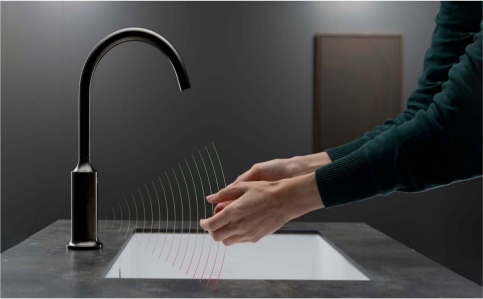
The Best Touchless Automatic Soap Dispenser for Commercial Applications. Shop Automatic Faucets at FontanaSensorFaucets.
Read More
Buy our good quality bathroom automatic Sensor Faucets at FontanaSensorFaucets like Digital Display Motion Sensor Faucet, Wall Mount Sensor Faucet with Auto Soap Dispenser, Hospital Style Automatic Touchless Sensor Faucet at very competitive price.
Also see sensor faucets and commercial sensor faucets with inserts, automatic dispenser and automatic soap faucet, how automatic sensor faucets workthr automatic soap bath, motion sensor sensor faucets, automatic foaming sensor faucets, commercial bath & body works smart sensor faucets touch free system bath smart sensor faucets wall mounted automatic sensor faucets, automatic sensor faucets for home dual dish and hand sensor faucets black shower gel dispenser best automatic dispenser and automatic sensor faucets electric sensor heavy duty.
[ NO WATER / STAYS ON / ERRATIC FLOW ]
│
▼
[ CHECK POWER SOURCE ]
├─ Batteries installed?
├─ Batteries strong?
└─ AC adapter powered?
│
▼
[ SENSOR WINDOW ]
├─ Clean IR lens
├─ No reflections?
└─ No blockage?
│
▼
[ LED INDICATOR ]
├─ Flashing → Low power
├─ Solid / erratic → Sensor issue
└─ No light → Power failure
│
▼
[ SOLENOID VALVE ]
├─ Clean inlet filter
├─ Debris in plunger?
└─ Coil responding?
│
▼
[ CARTRIDGE / FLOW ]
├─ Mineral buildup?
├─ Correct Delta cartridge?
└─ Proper alignment?
│
▼
[ RESET / RE-LEARN ]
├─ Power cycle faucet
├─ Allow sensor calibration
└─ Test activation
Commercial Sensor Faucet Service Guide
Delta Touchless Faucet Troubleshooting Guide for Commercial Restrooms
Troubleshoot common Delta touchless faucet issues including no water flow, sensor failure, blinking indicators, weak activation range, and intermittent operation. Built for facility managers, contractors, and maintenance teams servicing public restrooms, healthcare washrooms, airports, restaurants, and other high-traffic sink areas.
Sensor, solenoid, battery, and power troubleshootingMotion activation, shutoff, and flow-control diagnosticsCommercial maintenance guidance to reduce sink downtime
Delta Sensor Faucet Troubleshooting
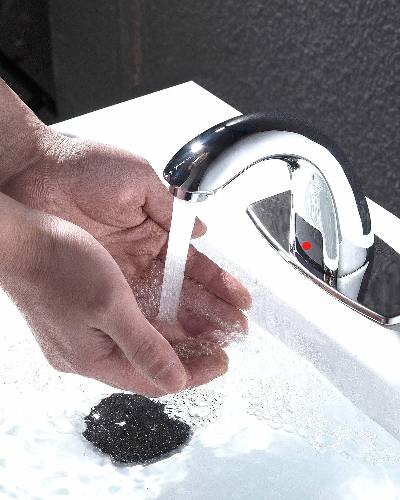
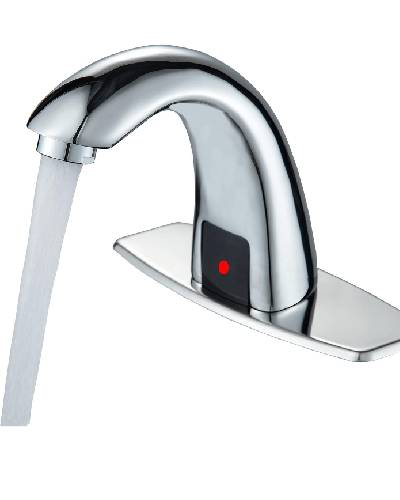
The Fontana sensor faucets are a convenient and hygienic addition to any bathroom or kitchen. These touchless faucets use sensor technology to detect your hands' presence and automatically dispense water. While they are generally reliable, like any electronic device, they can sometimes encounter issues that require troubleshooting. The most common issue users encounter with sensor faucets is when there is no water flow. If you place your hands under the sensor, and nothing happens, the first step is to check the power source. Ensure that the faucet is properly connected to the power supply or that the batteries are not depleted if it's a battery operated model. Replace batteries if necessary.
Sometimes, the sensor may become obstructed, which prevents it from detecting your hands. Check for any debris or buildup on the sensor. Gently clean it with a soft cloth to remove any dirt, soap residue, or water stains that might be interfering with its functionality. If the faucet's sensor seems too sensitive or not sensitive enough, you can adjust the sensor range. Troubleshooting issues with
Delta touch faucets or Delta touchless faucets can be challenging, as common problems like low pressure or the touch faucet not working can stem from various causes. If the Delta touch faucet battery replacement is needed, ensure the batteries are fresh and correctly installed, as low power can disrupt functionality.
When an
automatic faucet is not working or the kitchen faucet sensor is not working, check for obstructions around the sensor and ensure the power supply is operational. For Delta touch faucet troubleshooting, inspect connections, clean the solenoid, and consider performing a Delta touch faucet reset using the Delta touch faucet reset button.
If the
flow motion sensor kitchen faucet troubleshooting is required or the flow faucet sensor is not working, examine the sensor alignment and wiring. Issues like a sensor faucet not working, motion sensor faucet not working, or sensor faucet won't stop running may indicate debris in the valve or a need to recalibrate the sensor. For Delta auto faucets or Delta motion sensor kitchen faucets, refer to the Delta touchless faucet manual for specific guidance.
A
touch faucet stopped working or a touch sink not working could be caused by grounding issues, so ensure proper installation. If the hands free faucet is not working, inspect the power source and sensor connections. Regular maintenance and cleaning can prevent Delta touch faucet problems and improve reliability. Pair your touchless system with an automatic soap dispenser for a fully modernized setup. For enhanced performance, consider the best touchless bathroom faucets that deliver consistent results with minimal upkeep.
No Water Flow, Sensor Response, and General Performance Checks
The first thing to inspect when a touchless faucet fails is power. Ensure that the faucet is properly connected to the power supply or that the batteries are not depleted if the unit is battery operated. Replace batteries if necessary and confirm the faucet is receiving steady power.
Read More
Check the sensor face for dirt, debris, soap residue, mineral stains, or anything else that may obstruct detection. A soft cloth is usually enough for cleaning. If the faucet activates weakly, too often, or not at all, review the sensor range and alignment.
When troubleshooting
Delta touchless faucets, kitchen faucet sensor issues, or automatic faucet activation failures, inspect the sensor window, internal connections, and water delivery components before assuming major part failure.
Low Pressure, Leaks, Batteries, and Sensor Alignment
Low water pressure can affect the sensor faucet's performance. Ensure that your water supply is at the appropriate pressure level. If you're experiencing low pressure, it may be necessary to clean or replace the aerator, which can become clogged with debris over time.
Read More
If your Fontana sensor faucet is leaking, check for loose or damaged parts. Tighten any loose connections, and replace any damaged seals or gaskets. Ensure that all components are properly fitted to prevent leaks.
If your sensor faucet is battery powered, be sure to replace the batteries periodically, as indicated in the user manual. Weak batteries can result in erratic faucet behavior or failure to operate. Always use high quality batteries for better performance and longevity. The infrared sensor in Fontana sensor faucets must be properly aligned to work effectively.
Featured Snippet Answers
Why is my Delta touchless faucet not working?
Answer A Delta touchless faucet may stop working because of low battery power, a blocked sensor lens, loose wiring, a clogged aerator, or a failed solenoid valve.
In commercial restrooms, routine cleaning and power checks usually solve the most common activation problems.
Read Full Troubleshooting
How do you reset a Delta touchless faucet?
Answer To reset a Delta touchless faucet, inspect the battery pack or power source, clean the sensor window, confirm water supply is open, and restart the faucet according to the installation setup. Reset steps often begin with restoring stable power and clearing sensor obstructions.
Check Installation Setup
Why does a touchless faucet have low water flow?
Answer Low flow in a touchless faucet is commonly caused by a clogged aerator, debris in the line, restricted supply valves, or internal valve buildup. In public restroom sinks, maintenance teams should inspect flow components before replacing the faucet assembly.
View Public Restroom Faucets
What causes sensor faucet activation failure?
Answer Sensor faucet activation failure is often caused by dirty sensor windows, reflective sink surfaces, weak power, loose connections, or damaged electronics. In high-traffic commercial washrooms, regular preventive maintenance helps keep infrared activation consistent.
Explore Commercial Models
Commercial touchless faucet product reference.
Sensor Position, Software Updates, and When to Call for Help
View More
Make sure the sensor is not obstructed by any objects or surfaces, and that it has a clear line of sight to your hands. Adjust the sensor's angle and position if necessary. Some Fontana sensor faucets may have software or firmware that can be updated. Usually, it involves holding your hand in front of the sensor and making adjustments until it works as desired.
Check the manufacturer's website for any available updates and follow the instructions provided to ensure your faucet is running the latest and most stable software. If you've tried all the troubleshooting steps and your Fontana sensor faucet still isn't functioning properly, it may be time to contact a professional plumber or the manufacturer's customer support for further assistance. They can diagnose and fix more complex issues.
Delta Sensor Faucet Troubleshooting FAQ
What are the most common issues with Delta sensor faucets, and how can they be resolved?
Common issues include sensor misalignment, low battery voltage, solenoid valve blockage, and loose wiring connections. These are resolved by realigning sensors, replacing batteries, cleaning solenoid filters, and securing electrical connections properly.
How do you reset a Delta touchless faucet to restore its functionality?
Resetting involves disconnecting the power source or batteries, waiting approximately thirty seconds to allow full discharge, then reconnecting power. This process reboots the control module and recalibrates the infrared sensing system.
What steps should you take if the Delta sensor faucet is not responding to motion detection?
Start by cleaning the sensor lens and removing obstructions. Verify power supply voltage, inspect wiring harness connections, and ensure the control box is functioning. Perform diagnostic testing based on manufacturer troubleshooting guidelines.
Why is the water flow from a Delta sensor faucet weak or inconsistent, and how can this be fixed?
Weak flow is typically caused by clogged aerators, sediment buildup, or partially closed shutoff valves. Cleaning aerators, flushing supply lines, and ensuring full valve opening restores consistent pressure and proper flow.
How can you troubleshoot battery or power-related issues in Delta touchless faucets?
Use a multimeter to check battery voltage, inspect terminals for corrosion, confirm correct polarity, and verify AC adapter output if applicable. Ensure stable voltage supply to the control module for reliable operation.
What are the key signs of a clogged solenoid valve in a Delta sensor faucet, and how can it be cleaned?
Indicators include delayed activation, reduced water output, or dripping after shutoff. Remove the solenoid valve, clean internal screens, flush debris, and reassemble components ensuring seals are properly aligned and intact.
How do you check for and fix sensor alignment issues in Delta touchless faucets?
Inspect sensor positioning to ensure it faces the intended activation zone. Adjust mounting angle, remove obstructions, secure fittings, and test responsiveness to confirm proper detection range and operational accuracy.
What maintenance practices are recommended to prevent frequent troubleshooting of Delta sensor faucets?
Routine maintenance includes cleaning aerators and sensors, replacing batteries periodically, flushing plumbing lines, checking electrical connections, and following manufacturer maintenance intervals to ensure consistent performance and longevity.
How do you identify if the problem is with the faucet’s sensor or the power supply?
Check for indicator lights and measure voltage supply. If power is present without response, the sensor may be faulty. Absence of voltage indicates battery depletion, wiring issues, or adapter malfunction.
What tools and parts are typically needed for basic troubleshooting of Delta sensor faucets?
Essential tools include screwdrivers, adjustable wrenches, and a multimeter. Common replacement parts include batteries, solenoid valves, O-rings, aerators, and control modules required for effective troubleshooting and repair.
Why might a Delta sensor faucet continuously run water, and what is the fix?
Continuous flow is caused by a stuck solenoid, debris preventing closure, or control unit failure. Cleaning or replacing the solenoid and resetting or replacing the control module typically resolves this issue.
What should you do if the Delta touchless faucet is leaking at the base or spout?
Leaks usually result from worn O-rings, damaged seals, or loose fittings. Disassemble the affected area, replace seals, tighten connections, and apply plumber’s grease to ensure proper sealing and prevent future leaks.
Can the Delta sensor faucet be used manually if the touchless functionality fails?
Some models include manual override handles or bypass modes. If unavailable, temporary manual use may involve isolating the solenoid, though this is not recommended as a permanent operating solution.
What are the most common installation mistakes that lead to sensor faucet issues, and how can they be avoided?
Mistakes include incorrect wiring, unflushed supply lines, poor grounding, and misaligned sensors. Avoid these by following installation instructions, verifying electrical connections, and testing system functionality before final installation.
How can you replace or recalibrate the sensor on a Delta touchless faucet?
Disconnect power, access the control module, replace the sensor unit if needed, or initiate calibration mode. Restore power and follow manufacturer procedures to adjust sensitivity and detection range accurately.
Use this commercial-grade troubleshooting matrix to diagnose common Delta touchless faucet problems based on symptom, component, downtime risk, diagnostic path, and recommended corrective action. Designed for facility managers, maintenance teams, plumbers, and commercial restroom service professionals.
Symptom
Failure Frequency
Root Cause Category
Most Likely Component
Diagnostic Method
Time to Diagnose
Skill Level
Tools Required
Downtime Impact
Water Waste Risk
Hygiene Risk
Temporary Fix
Permanent Fix
Preventive Maintenance
Recurrence Probability
No water flow
High
Power
Battery pack / AC adapter / control box
Check LED response, verify voltage, inspect power connections
3–7 min
User / Maintenance
Multimeter, screwdriver
Critical
Low
High
Replace batteries, reconnect loose power lead
Replace failed power module or damaged wiring
Scheduled battery replacement and terminal inspection
Review maintenance history, installation quality, water conditions
20–45 min
Plumber / Supervisor / Engineer
Multimeter, service kit, inspection checklist
Critical
Medium
High
Stabilize operation with targeted repair
Upgrade components or replace faucet assembly
Install PM schedule and track failure mode trends
High
Recommended use: This matrix works best as a commercial troubleshooting reference for public restrooms, healthcare facilities, airports, offices, restaurants, and other high-traffic washroom environments where downtime, hygiene, and water waste all matter.
Delta Touchless Faucet FAQ
Why is my Delta touchless faucet blinking?
Blinking lights usually indicate a power issue, sensor alert, or internal fault condition. Start by checking the battery pack, power adapter, and sensor area for buildup or blockage.
Continuous flow can happen when the sensor is misreading movement, moisture is affecting the detection zone, or the control valve is sticking. Cleaning the sensor area and checking internal components are common first steps.
Can a clogged aerator stop a Delta touchless faucet?
Yes. A clogged aerator can reduce or block water flow even when the sensor activates properly. In commercial sink systems, mineral buildup and debris are common causes of weak performance.
Who needs Delta touchless faucet troubleshooting content?
This type of guide helps facility managers, plumbers, contractors, maintenance supervisors, and commercial property teams responsible for public restroom sink uptime, water efficiency, and hygiene performance.
Touchless Faucet Brands, Customer Reviews, and Industry Insights
Touchless faucets have gained popularity for their convenience and hygiene benefits. Below is an overview of various brands offering touchless faucets, along with customer reviews and industry insights for each:
"Touch control is handy, but experienced occasional sensitivity issues."
"Stylish design, though durability could be improved for the price."
Industry Review: Offers touch control and a pull-down sprayer, though some users noted performance and durability concerns relative to its price.
4. BioBidet
BioBidet Flow Motion-Activated Kitchen Faucet
Customer Reviews:
"Sensitive motion sensor and robust water pressure. Automatic shut-off is a great feature."
"Installation was easy, and it adds a modern touch to the kitchen."
Industry Review: Selected as the best overall touchless kitchen faucet for 2024, praised for its sensitive motion sensor, robust water pressure, and automatic shut-off feature.
5. Pfister
Pfister Stellen Touchless Kitchen Faucet
Customer Reviews:
"Affordable and easy to install. Dual power options are convenient."
"Practical design with reliable touchless operation."
Industry Review: Recognized for its affordability, easy installation, and dual power options, making it a practical and reliable choice.
6. Kraus
Kraus 18-Inch Commercial Kitchen Faucet
Customer Reviews:
"Industrial look is appealing, but had concerns about build quality over time."
"Functional design, though experienced some durability issues."
Industry Review: Noted for its industrial look and functionality, though some users reported concerns about build quality.
7. Vigo
Vigo Edison Kitchen Faucet With Touchless Sensor
Customer Reviews:
"Modern design fits well in contemporary kitchens. Touchless feature works smoothly."
"Installation was straightforward, and the faucet functions as expected."
Industry Review: Recognized for its modern design and touchless functionality, offering a stylish addition to contemporary kitchens.
8. Fontana
Fontana Catania Automatic Touchless Integrated Sensor Faucet
Customer Reviews:
"The 3-in-1 design with faucet, soap dispenser, and hand dryer is incredibly convenient."
"Sleek design and functional integration make it a standout in our restroom."
Industry Review: Praised for innovative design combining faucet, soap dispenser, and hand dryer, enhancing hygiene and user experience.
BathSelect Matte Black Finish Commercial Automatic Touchless Sensor Faucet
Customer Reviews:
"Sleek design and dependable performance. Ideal for our commercial bathrooms."
"Easy installation and maintenance. The sensor is highly responsive."
Industry Review: Appreciated for its modern design and reliable touchless operation, suitable for both new and retrofit installations in commercial bathrooms.




.jpg)
.jpg)
.jpg)
.jpg)
.jpg)
.jpg)
.jpg)
.jpg)
.jpg)
.jpg)
.jpg)
.jpg)
.jpg)

.jpg)
.jpg)
.jpg)
.jpg)
.jpg)
.jpg)
.jpg)