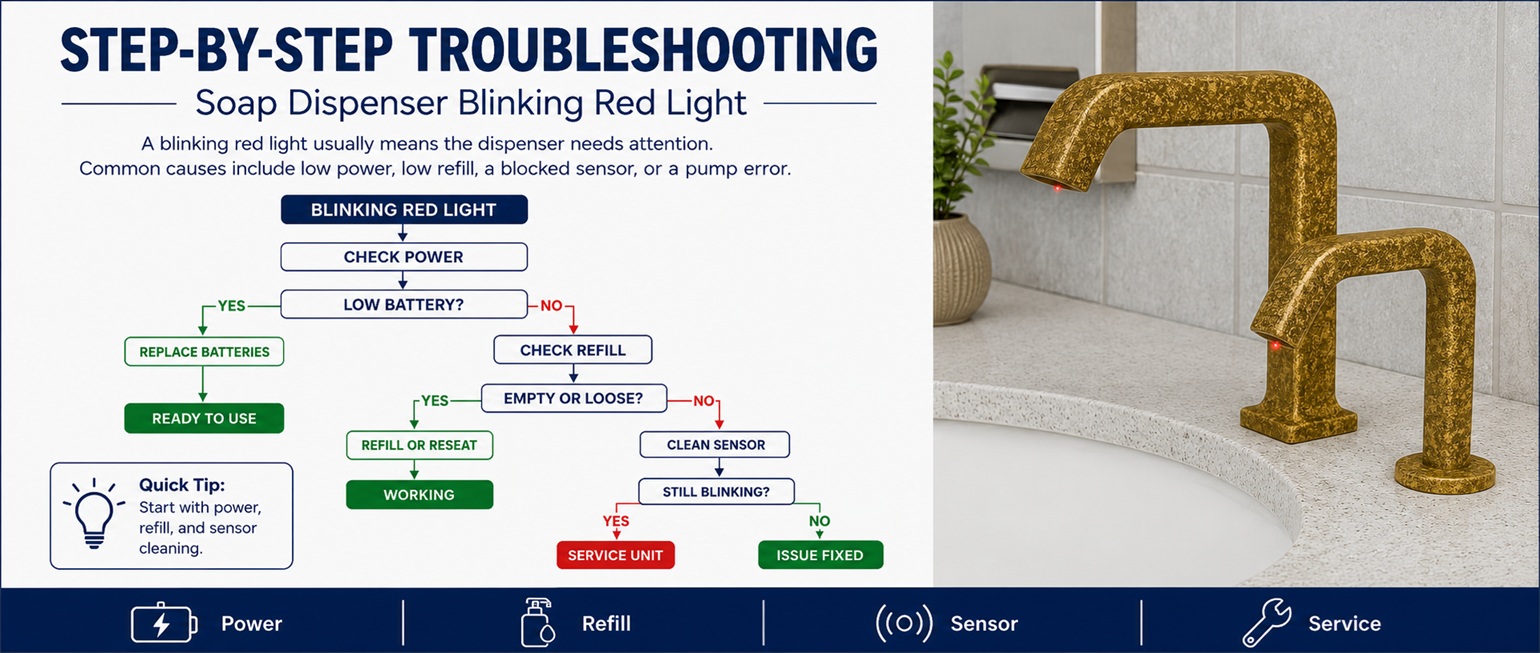
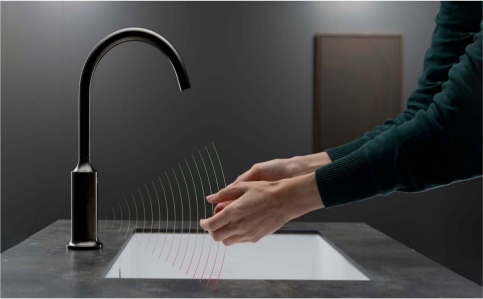
A soap dispenser blinking red light is usually a warning signal that the unit needs attention. Depending on the dispenser model, a red blinking light may indicate low batteries, an empty refill, a blocked sensor, improper cartridge installation, a jammed pump, or an internal error.
This guide explains how to troubleshoot a blinking red light on automatic, touchless, and commercial soap dispensers so you can restore normal operation and reduce restroom downtime.
Red Light TroubleshootingLow Battery WarningRefill & Sensor ChecksCommercial Soap Dispenser Support
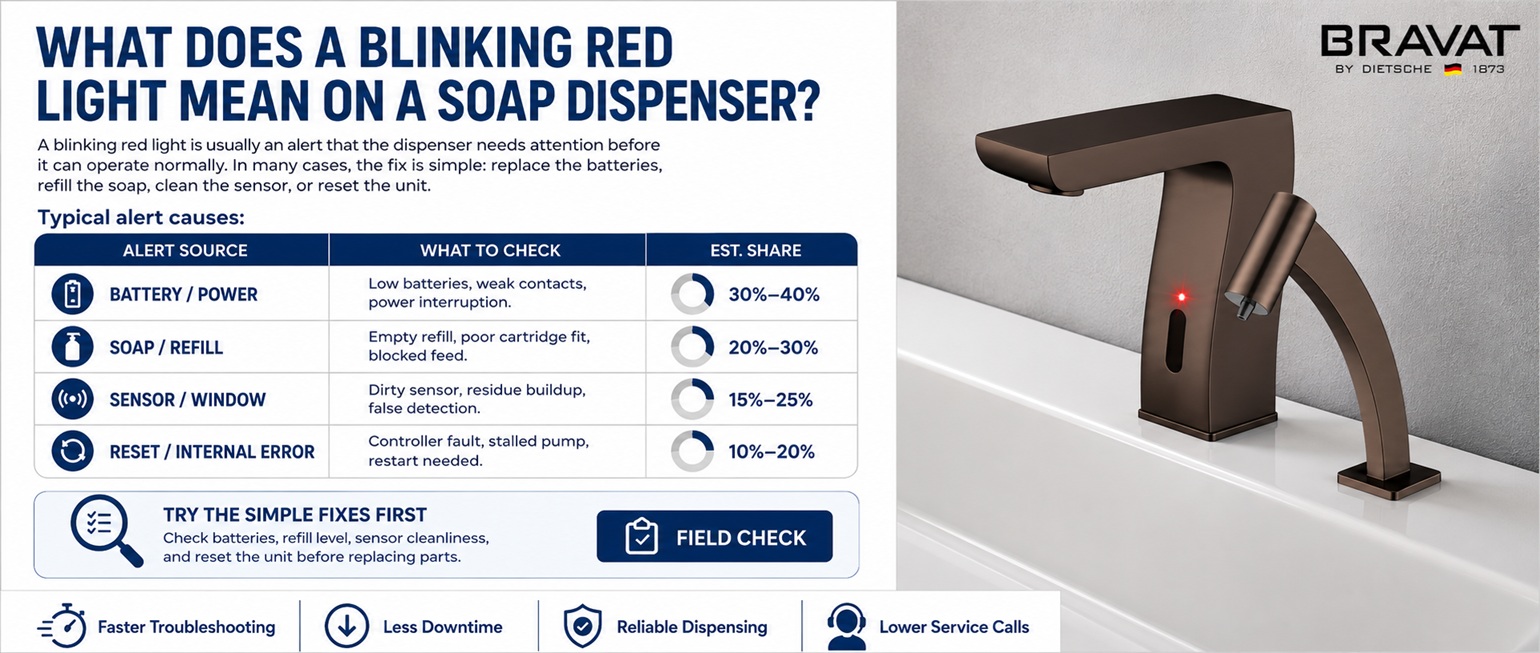
What Does a Blinking Red Light Mean on a Soap Dispenser?
A blinking red light on a soap dispenser is commonly used as an alert. The exact meaning may vary by model, but it usually means the dispenser needs maintenance before it can operate properly. In many cases, the fix is simple: replace the batteries, refill the soap, clean the sensor, or reset the unit.
Low Battery AlertOne of the most common reasons for a soap dispenser blinking red light is weak or depleted batteries.
Empty or Low RefillSome automatic soap dispensers use a red light to indicate that the soap cartridge or reservoir is empty or nearly empty.
Blocked SensorA dirty sensor window or object near the sensor can trigger an error or cause the dispenser to blink red.
Incorrect Refill InstallationIf the cartridge is not seated properly, the dispenser may show a warning light and fail to dispense soap.
Pump or Nozzle BlockageDried soap, thick soap, or a clogged nozzle may cause the pump to struggle and trigger a warning indicator.
Internal Error or Reset NeededA temporary electronic issue may cause the red light to blink until the dispenser is reset.
Quick Tip: If the red light blinks and the dispenser does not respond, start with fresh batteries. If the red light blinks but the unit still activates, check the refill, nozzle, and sensor area.
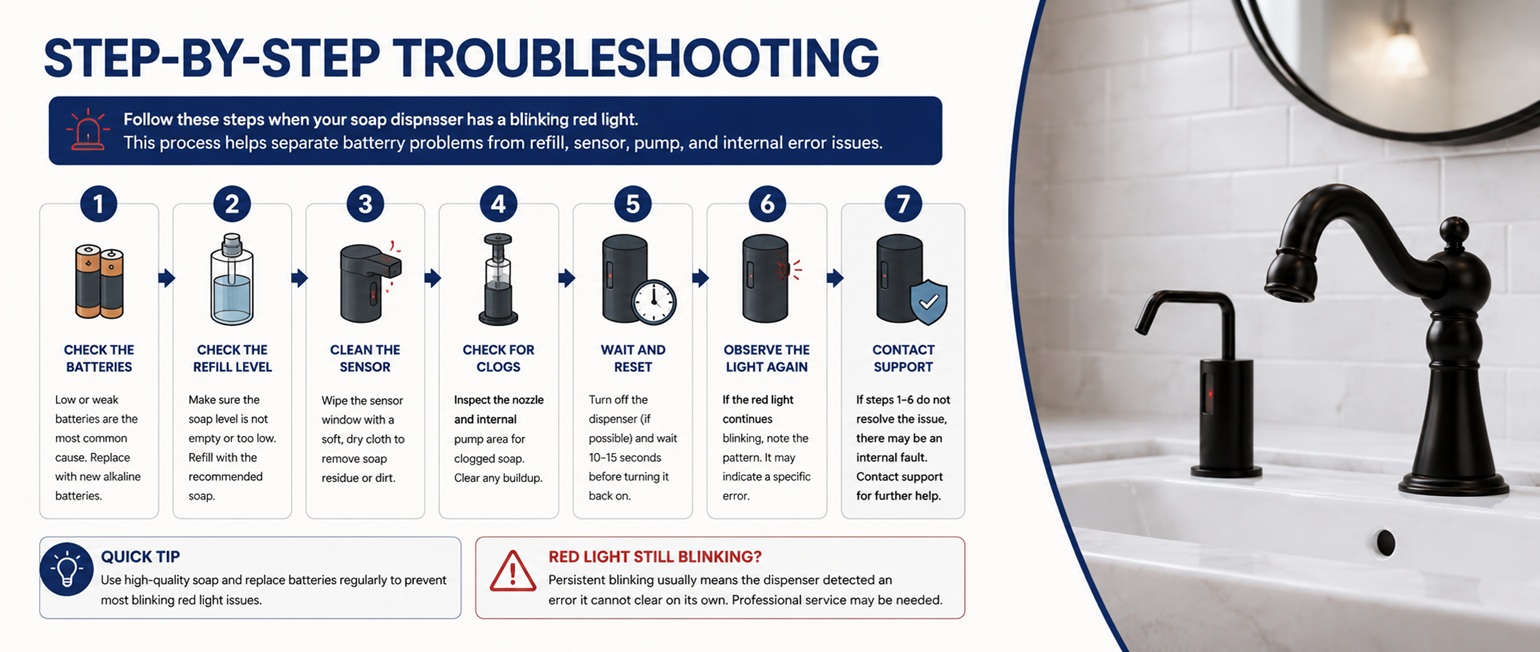
Step-by-Step Troubleshooting
Follow these steps when your soap dispenser has a blinking red light. This process helps separate battery problems from refill, sensor, pump, and internal error issues.
Replace the batteries first.
Open the battery compartment and install fresh batteries of the recommended type. Make sure the batteries are positioned correctly. A blinking red light often means the batteries are weak even if the dispenser still has a small amount of power.
Check for battery corrosion or moisture.
Inspect the battery contacts for rust, corrosion, soap residue, or moisture. Poor contact can interrupt power and cause blinking red light warnings. Clean the contacts carefully and allow the compartment to dry before testing.
Check the soap refill level.
Open the dispenser and confirm that the refill bottle, cartridge, or reservoir contains enough soap. Replace an empty refill or refill the reservoir according to the dispenser instructions.
Reinstall the soap cartridge.
Remove the cartridge or refill and reinstall it firmly. A loose cartridge can prevent the pump from drawing soap and may trigger an alert light.
Clean the sensor window.
Wipe the sensor area with a soft damp cloth. Dust, water spots, fingerprints, soap residue, or cleaning-product film can interfere with touchless activation and cause warning behavior.
Inspect the nozzle for blockage.
Dried soap around the outlet can restrict flow and create pump resistance. Clean the dispensing nozzle with warm water and a soft cloth.
Prime the pump.
After replacing soap or batteries, activate the dispenser several times. It may take multiple cycles for soap to travel through the pump line and dispense normally.
Reset the dispenser.
Turn the unit off if it has a power button. Remove the batteries for 30 to 60 seconds, reinstall fresh batteries, close the cover, and test the dispenser again.
Watch the light pattern.
Notice whether the red light blinks continuously, only when activated, or after several attempts. This can help identify whether the issue is battery power, sensor detection, soap flow, or an internal error.
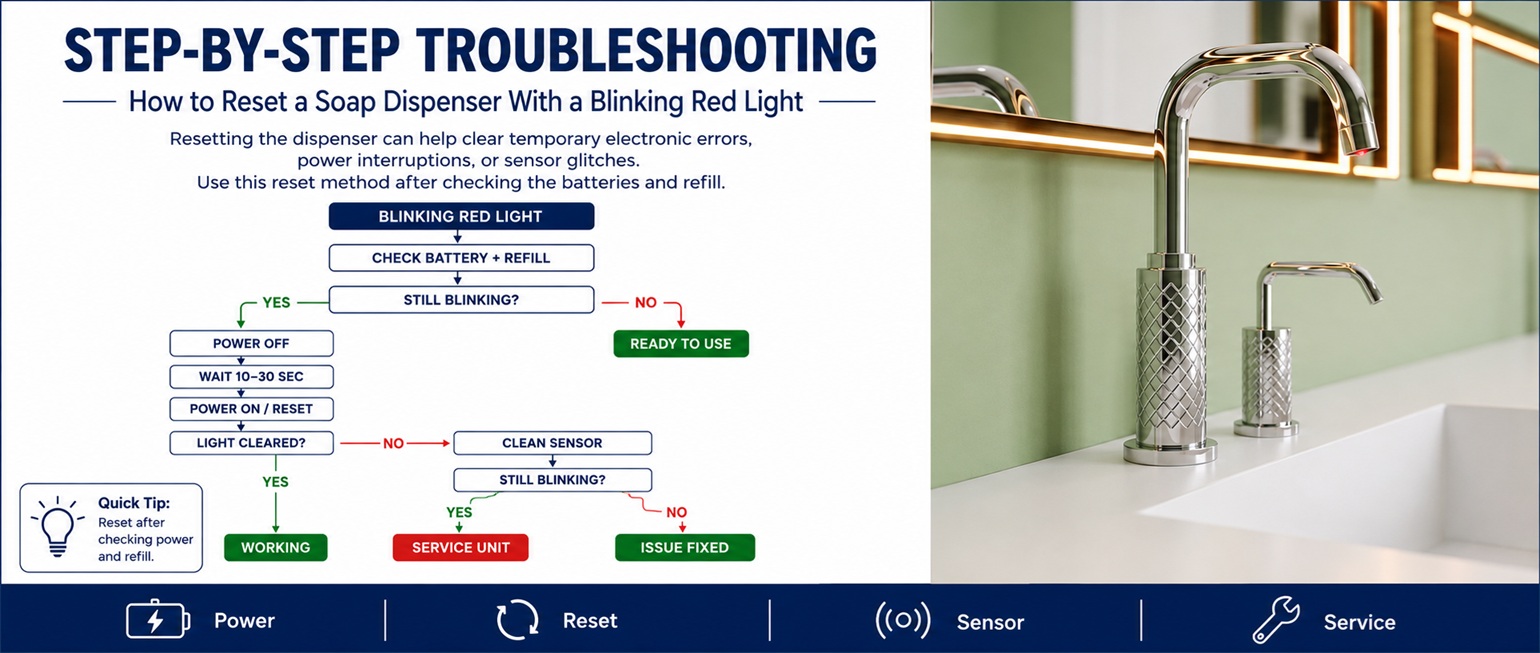
How to Reset a Soap Dispenser With a Blinking Red Light
Resetting the dispenser can help clear temporary electronic errors, power interruptions, or sensor glitches. Use this reset method after checking the batteries and refill.
Turn the dispenser off if it includes an on/off button.
Remove the batteries from the battery compartment.
Wait at least 30 to 60 seconds.
Clean the sensor window and nozzle while the batteries are removed.
Check the refill or cartridge installation.
Install fresh batteries in the correct direction.
Close the cover securely.
Place your hand under the sensor and test the dispenser.
If the red light stops blinking after the reset, the issue was likely a temporary power or control error. If the red light continues blinking, check the refill, sensor, nozzle, battery contacts, and soap type.
Important: Do not ignore a blinking red light in a commercial restroom. The dispenser may stop working soon, which can affect hygiene and create unnecessary maintenance calls.
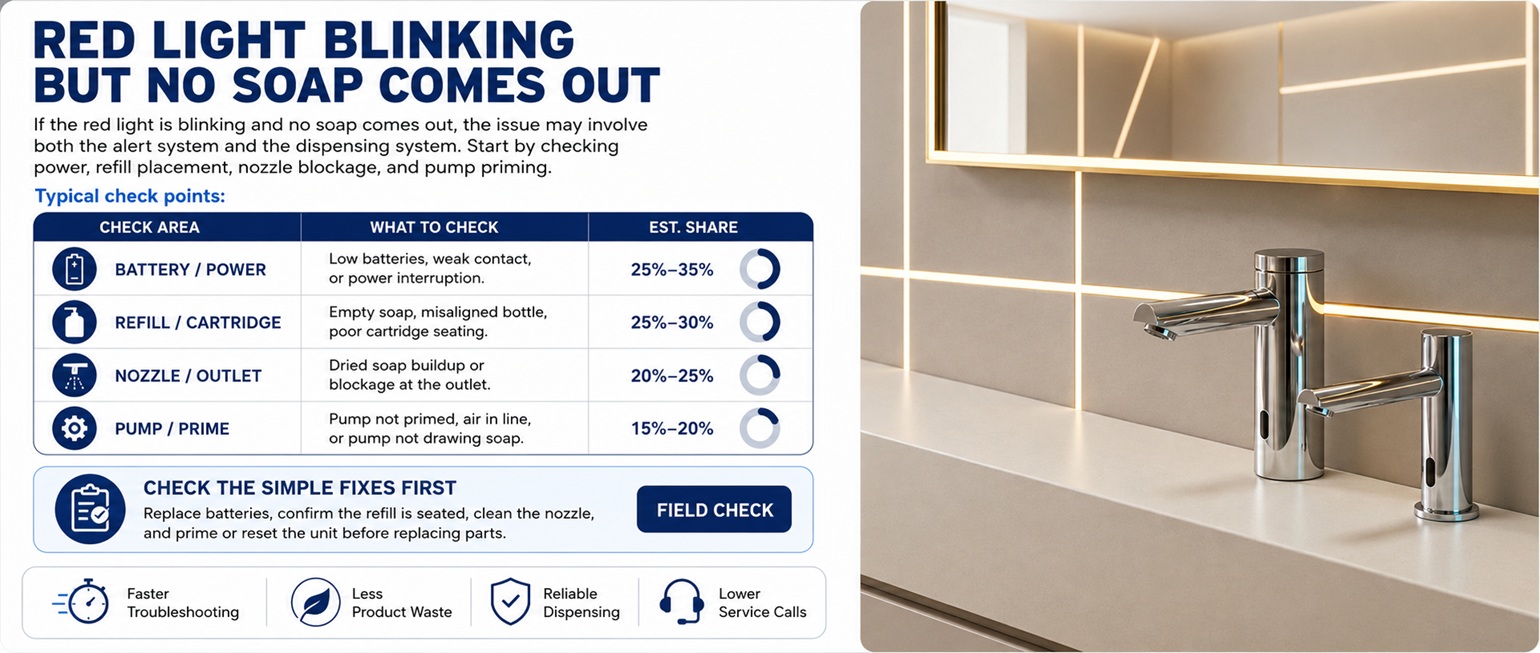
Red Light Blinking But No Soap Comes Out
If the red light is blinking and no soap comes out, the problem may involve both the alert system and the dispensing system. In this case, focus on power, refill placement, nozzle blockage, and pump priming.
Check These Common Causes:
The batteries are too weak to run the pump.
The refill bottle or cartridge is empty.
The cartridge is not seated correctly.
The nozzle is blocked with dried soap.
The pump line contains air after refill replacement.
The soap is too thick or not compatible with the dispenser.
The sensor is dirty or not detecting hand movement correctly.
If you hear the motor but no soap dispenses, the sensor and power may be working, but the soap flow is blocked. If there is no motor sound, begin with batteries, sensor cleaning, and a full reset.
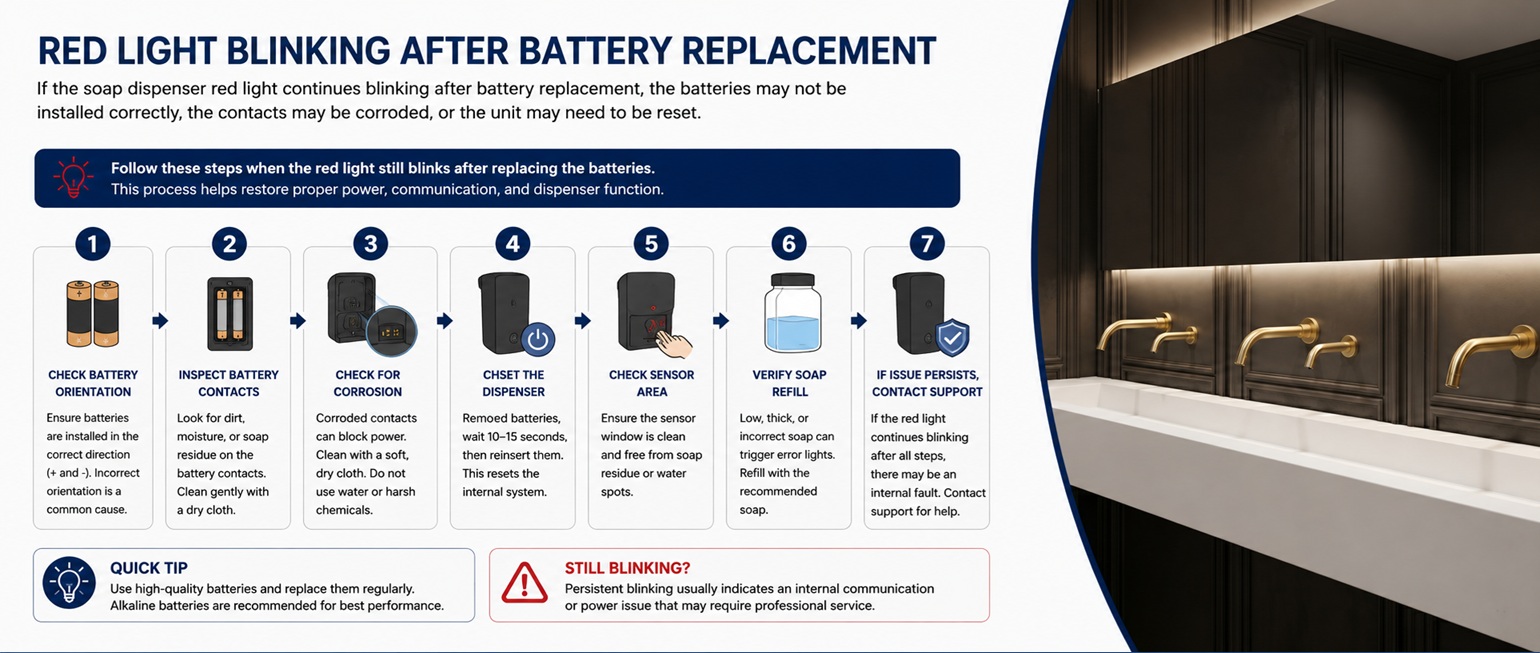
Red Light Blinking After Battery Replacement
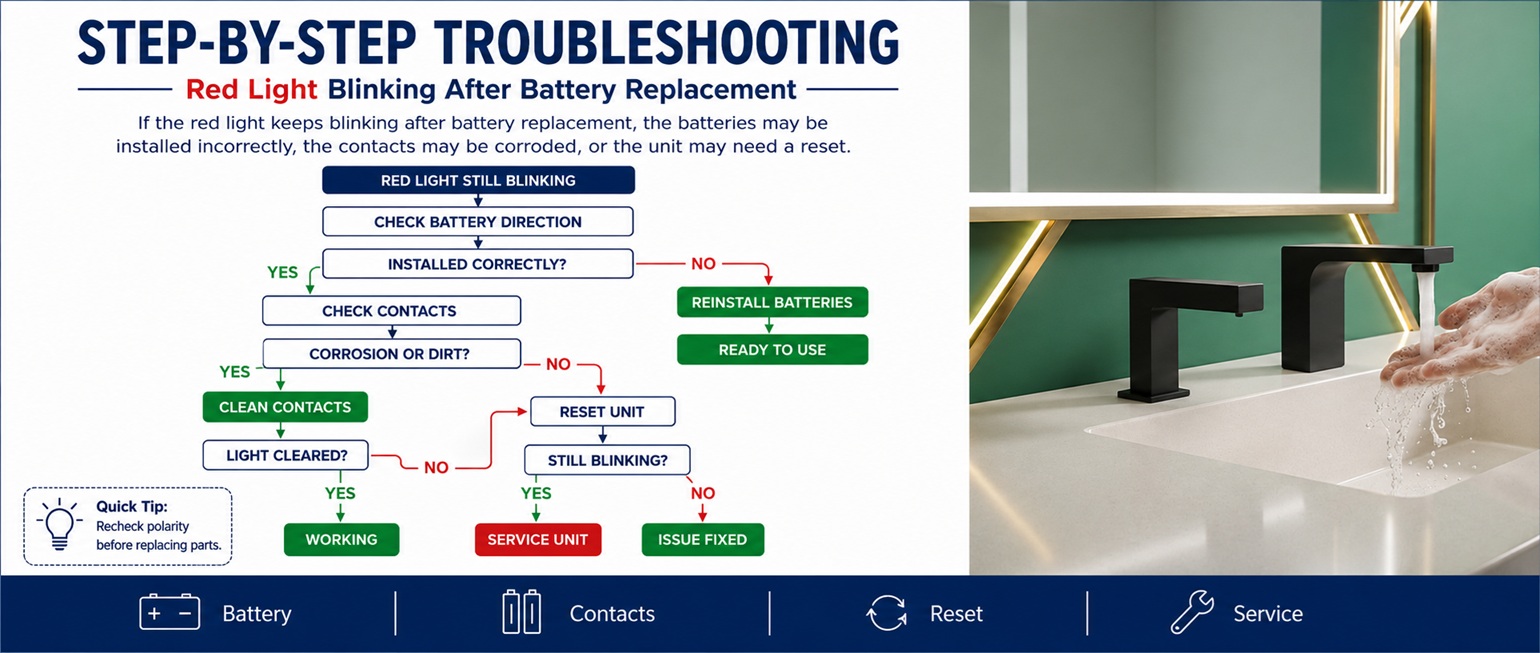
If the soap dispenser red light continues blinking after battery replacement, the batteries may not be installed correctly, the contacts may be corroded, or the unit may need to be reset.
What to Check:
Confirm the batteries are the correct size and type.
Make sure all batteries are new and from the same set.
Check the positive and negative battery direction.
Clean battery contacts if they show residue or corrosion.
Make sure the battery compartment is fully closed.
Remove the batteries for 60 seconds and reinstall them.
Check whether moisture entered the battery area.
In high-use commercial restrooms, battery replacement should be part of scheduled maintenance. Replacing batteries before failure can help prevent blinking red light warnings and dispenser downtime.
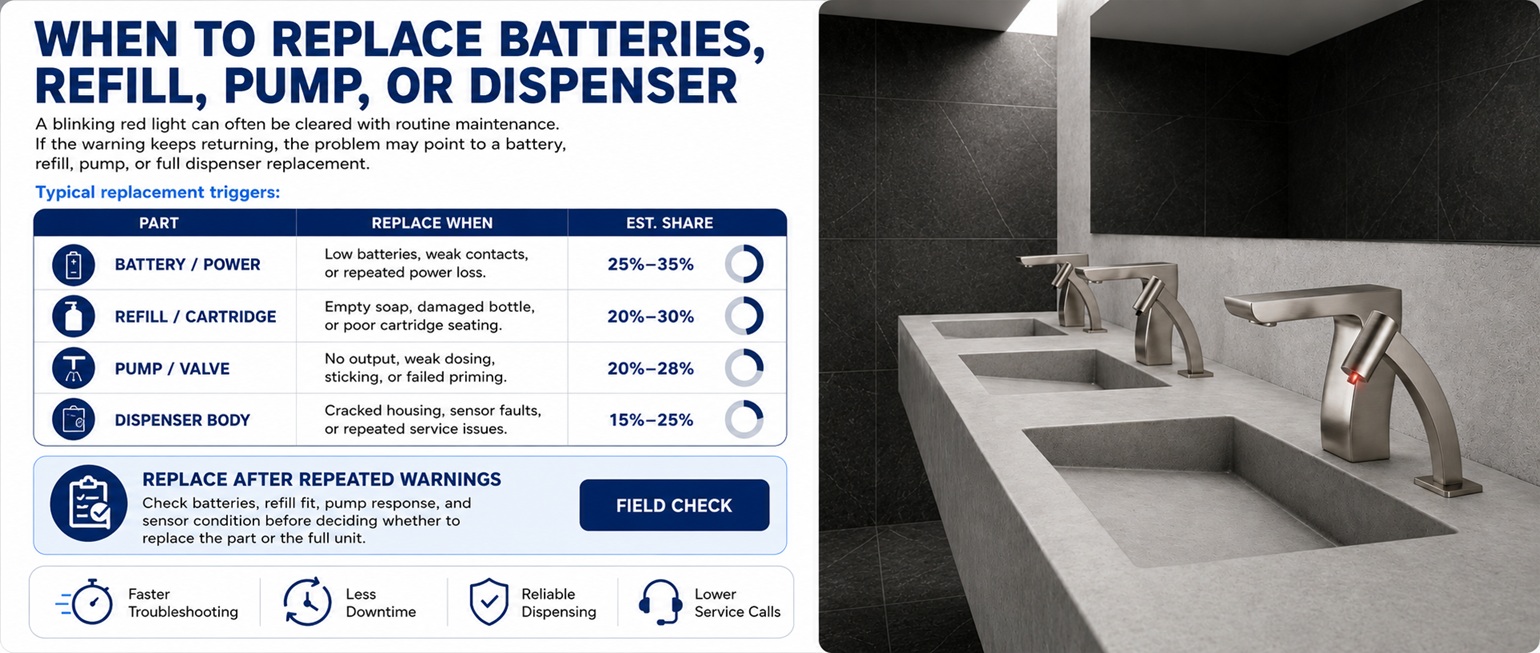
When to Replace Batteries, Refill, Pump, or Dispenser
A blinking red light can often be cleared with maintenance, but repeated warnings may indicate that a part or full unit replacement is needed.
Replace the Batteries When:
The red light blinks continuously.
The dispenser activates slowly or inconsistently.
The motor sounds weak.
The unit stops working shortly after a reset.
The batteries are old, mixed, leaking, or corroded.
Replace or Reinstall the Refill When:
The red light appears after a cartridge change.
The soap cartridge is empty or loose.
The refill does not lock into the dispenser properly.
The dispenser activates but no soap comes out.
The wrong refill type is being used.
Replace the Dispenser When:
The red light continues blinking with fresh batteries and a correct refill.
The sensor, pump, or control system fails repeatedly.
The battery compartment has corrosion or water damage.
The dispenser is no longer reliable for commercial use.
The unit creates frequent maintenance issues in a high-traffic restroom.
Recommended Automatic Soap Dispenser Solutions
If your soap dispenser blinking red light issue keeps returning, it may be time to upgrade to a more reliable automatic soap dispenser. Consistent operation is especially important in public restrooms, hotels, offices, healthcare facilities, restaurants, schools, and commercial buildings.
For commercial installations, select automatic soap dispensers with dependable sensor response, easy refill access, battery-efficient operation, durable construction, and compatibility with your preferred soap type. A reliable dispenser can help reduce downtime and support better restroom hygiene.
A blinking red light may be connected to batteries, sensor detection, refill installation, or soap flow. Use these related guides to identify the exact problem.
A soap dispenser blinking red usually indicates low batteries, an empty refill, a dirty sensor, incorrect cartridge installation, a blocked nozzle, or a reset/error condition.
Does a blinking red light mean the batteries are low?
In many automatic soap dispensers, a blinking red light is a low battery warning. Replace the batteries with fresh batteries of the recommended type and test the dispenser again.
Why is the red light blinking but no soap comes out?
The dispenser may have weak batteries, an empty or loose refill, a clogged nozzle, air in the pump line, thick soap, or a sensor issue. Check power first, then refill and soap flow.
How do I reset a soap dispenser with a blinking red light?
Turn the unit off if possible, remove the batteries for 30 to 60 seconds, clean the sensor and nozzle, reinstall fresh batteries, close the cover, and test the dispenser again.
Can a dirty sensor cause a red blinking light?
Yes. Soap residue, water spots, dust, or cleaning-product film can block the sensor and cause warning behavior. Clean the sensor window gently with a soft damp cloth.
When should I replace a dispenser with a blinking red light?
Replace the dispenser if the red light continues blinking after fresh batteries, proper refill installation, sensor cleaning, nozzle cleaning, and reset. This is especially important for commercial restrooms where reliability is required.
Need a Reliable Automatic Soap Dispenser Solution?
If your soap dispenser blinking red light keeps returning, a dependable automatic soap dispenser can help reduce maintenance interruptions and keep high-traffic restrooms operating smoothly.